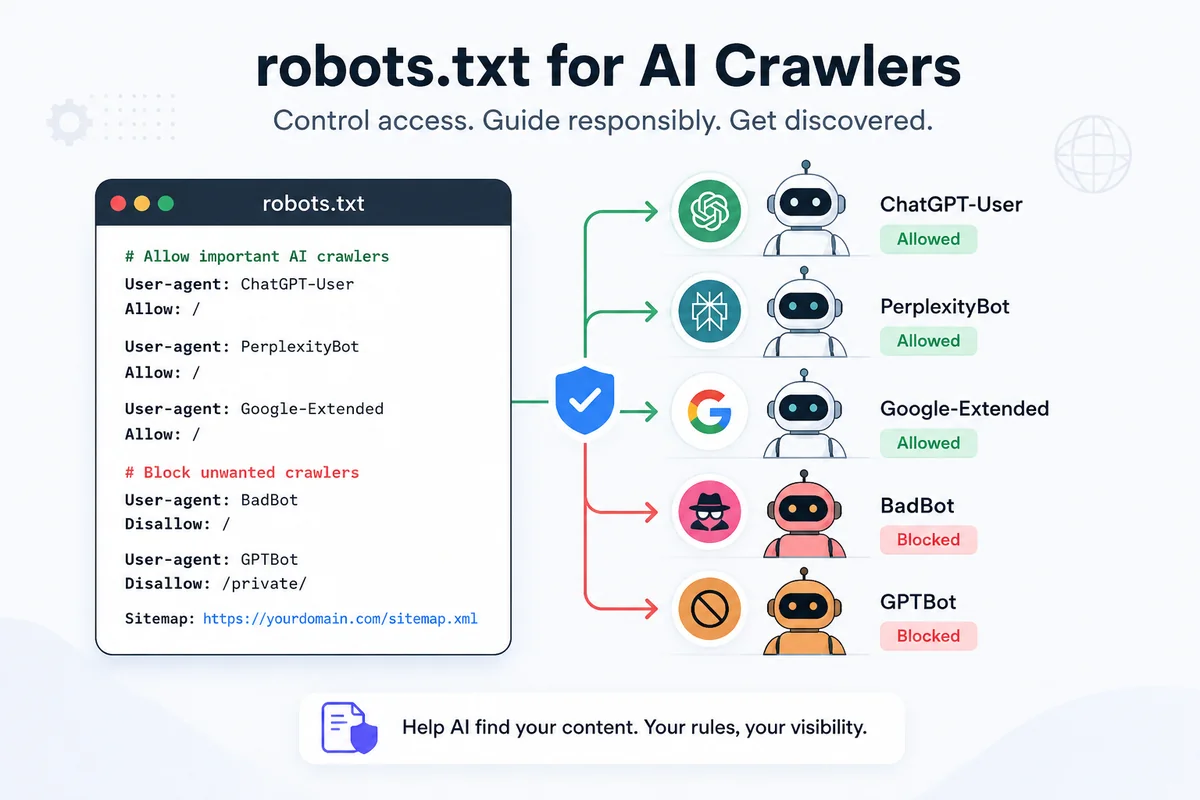

Key Takeaways: Managing AI search visibility requires configuring
robots.txtbased on crawler intent. Here are copy-paste configurations for 3 scenarios: Allow All, Search-Only (allow citations, block training), and Block All, along with a master AI user-agent lookup table.
A common mistake marketing teams make is blocking all AI crawlers in robots.txt. Crawler access is step one in how to get your business recommended by AI. When you block every AI user-agent, you prevent model training, but you also destroy your brand's citation visibility in live AI search engines like ChatGPT and Perplexity.
AI web crawlers perform two distinct functions:
- Model Training Crawlers: Asynchronously scrape massive volumes of text to train future LLM base models.
- Search Retrieval Agents: Fetch specific web pages in real-time to answer direct user queries and generate footnote citations.
By configuring your robots.txt file properly (following baseline rules from Google Search Central's Robots.txt Introduction), you can control which AI bots fetch your content while preserving search visibility.
01 — User-Agent TableMaster AI crawler user-agent lookup table
The table below lists the primary user-agents operating across conversational search and AI development in 2026:
| Crawler User-Agent | Parent Organization | Primary Purpose | Impact of Blocking |
|---|---|---|---|
GPTBot | OpenAI | Model training | Prevents OpenAI from training future models on your site |
ChatGPT-User | OpenAI | Live search retrieval | Kills real-time citations in ChatGPT |
OAI-SearchBot | OpenAI | Search prototype indexing | Reduces indexing in OpenAI Search |
PerplexityBot | Perplexity AI | Live search & citation indexing | Kills brand recommendations in Perplexity |
ClaudeBot / anthropic-ai | Anthropic | Model training & retrieval | Blocks Claude from accessing your pages |
Google-Extended | Gemini model training | Prevents Gemini training (Does NOT block AI Overviews) | |
Googlebot | Main search indexing | Kills both Google Search and Google AI Overviews | |
Bytespider | ByteDance | Model training & scraping | Blocks ByteDance AI crawlers |
CCBot | Common Crawl | Public dataset scraping | Blocks Common Crawl dataset ingestion |
02 — Copy-Paste Configs3 Copy-paste robots.txt configurations
Choose the scenario below that matches your organization's AI content strategy:
Scenario 1: Maximize AI Visibility (Allow All)
Use this configuration if your goal is maximum brand exposure across ChatGPT, Perplexity, Gemini, and future AI models:
# Scenario 1: Allow All AI Crawlers for Maximum Visibility
User-agent: *
Allow: /

User-agent: GPTBot
Allow: /

User-agent: ChatGPT-User
Allow: /

User-agent: PerplexityBot
Allow: /

User-agent: ClaudeBot
Allow: /

User-agent: Google-Extended
Allow: /

Sitemap: https://yourdomain.com/sitemap.xml
Scenario 2: Search-Only (Allow Citations, Block Model Training)
This is the recommended strategy for B2B SaaS brands. It permits live search agents (ChatGPT-User, PerplexityBot, OAI-SearchBot) to fetch your content for citations, while blocking bulk training scrapers (GPTBot, Google-Extended, Bytespider):
# Scenario 2: Allow Live Search Retrieval, Block Bulk Model Training

# Allow Live AI Search & Citation Bots
User-agent: ChatGPT-User
Allow: /

User-agent: OAI-SearchBot
Allow: /

User-agent: PerplexityBot
Allow: /

# Block Bulk Model Training Scrapers
User-agent: GPTBot
Disallow: /

User-agent: Google-Extended
Disallow: /

User-agent: Bytespider
Disallow: /

User-agent: CCBot
Disallow: /

Sitemap: https://yourdomain.com/sitemap.xml
Scenario 3: Complete AI Opt-Out (Block All AI Bots)
Use this configuration if your website contains proprietary data or copyrighted content that you wish to block completely from AI systems:
# Scenario 3: Block All AI Crawlers and Retrieval Agents

User-agent: GPTBot
Disallow: /

User-agent: ChatGPT-User
Disallow: /

User-agent: OAI-SearchBot
Disallow: /

User-agent: PerplexityBot
Disallow: /

User-agent: ClaudeBot
Disallow: /

User-agent: anthropic-ai
Disallow: /

User-agent: Google-Extended
Disallow: /

User-agent: Bytespider
Disallow: /

User-agent: CCBot
Disallow: /
03 — Testing & VerificationHow to test and verify your robots.txt setup
Follow these steps to deploy and test your file:
Step 1: Upload file to root directory (https://yourdomain.com/robots.txt)
  │ Ensure response headers serve plain text (Content-Type: text/plain)
  ▼
Step 2: Run a live curl test for user-agent headers
  │ Check that GPTBot and PerplexityBot receive expected HTTP responses
  ▼
Step 3: Audit indexability in AI Visibility Dashboard
  │ Verify that citation retrieval succeeds on live category prompts
Command line verification test
You can simulate an AI user-agent request using curl from your terminal:
curl -I -A "PerplexityBot" https://yourdomain.com/blog/what-is-geo
If the server returns HTTP/1.1 200 OK, PerplexityBot can successfully fetch your content for live citation synthesis.
04 — FAQFrequently asked questions
Want to test whether AI crawlers are fetching your site properly? Generate your free AI visibility report
Virender Singh is the technical lead at Visiby, where he builds the crawling, structured-data, and answer-engine analysis behind the product. He writes about the technical mechanics of answer engine optimization. View full profile →